The fastest WordPress accordion plugin for most sites is Lightweight Accordion (no JavaScript, pure HTML details/summary). For sites that need more styling and animation, Accordion by 10Web and Easy Accordion are the strongest paid-tier options. If you don’t want any plugin at all, the block editor’s built-in Details block uses the same underlying HTML and works in any modern WordPress install.
Accordions are useful for FAQ sections, expandable documentation, mobile-friendly long-form pages, and anywhere you want to give visitors a scannable list of topics they can expand on demand. Below are the options I’d recommend in 2026, starting with the fastest.
1. Lightweight Accordion
This is the accordion plugin we built and maintain here at SmartWP. Lightweight Accordion doesn’t use JavaScript: it relies on the native HTML <details> and <summary> tags, paired with a small CSS file.
That combination makes it the fastest accordion plugin for WordPress. There’s even a developer hook to exclude the CSS entirely if you’d rather style it from your theme, leaving the plugin as pure HTML output.
Lightweight Accordion allows you to customize colors, schema, borders, and even the option to open the accordion by default.
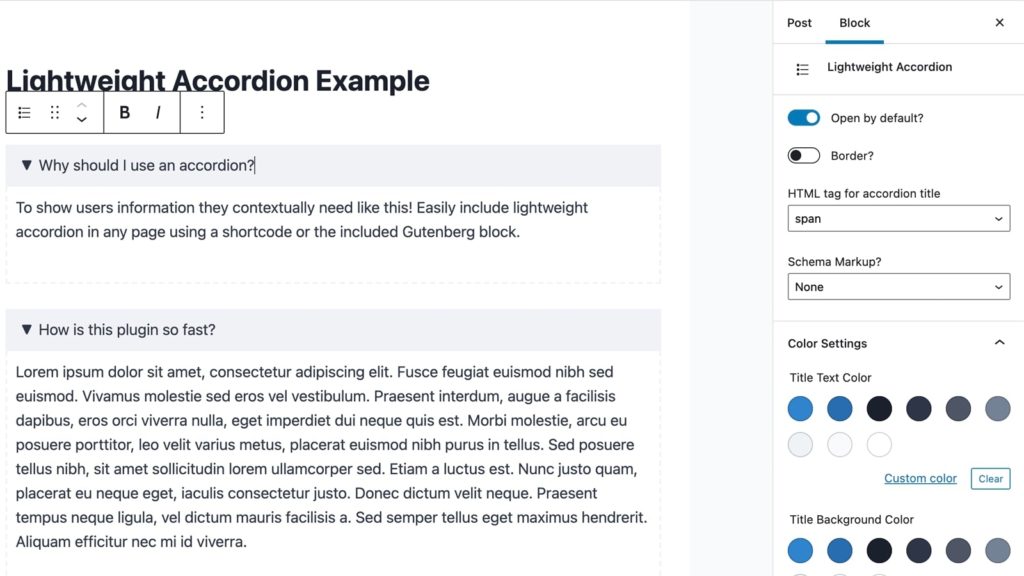
Lightweight accordion works with a shortcode or using a Gutenberg block to easily add it to your site. Perfect for sites using the block editor or the classic editor.
You can also group accordions so only one stays open at a time. If you need schema, the plugin lets you add FAQ schema to your dropdowns.
2. Accordion
The Accordion plugin can meet most of your accordion needs for WordPress. Whether you need to make an accordion, FAQ, tabs, or a Q&A section this plugin should work for you.
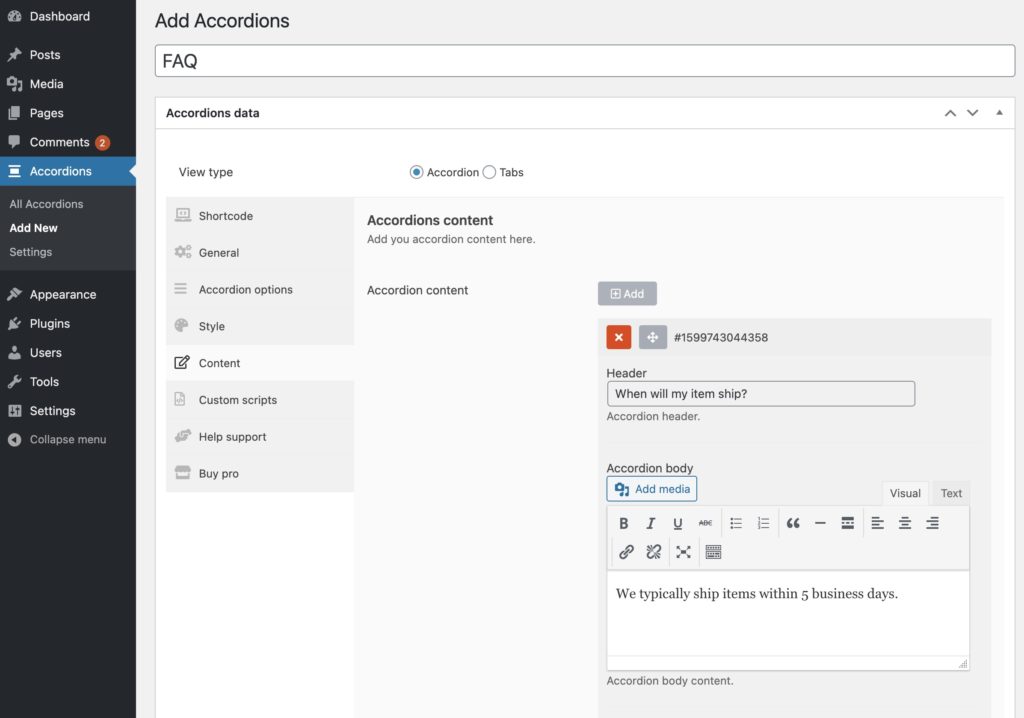
Using the Accordions plugin adds a new tab to your WordPress admin that lets you build accordion sections or tabbed sections. As you can see below it offers a slew of options including styles, content editing, and even custom script support.
3. Easy Accordion
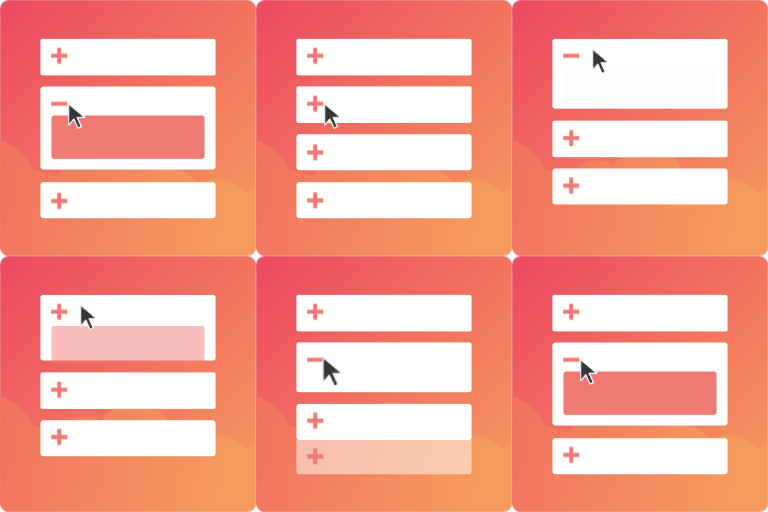
Easy Accordion has a simple user interface that will make it easy for any WordPress user to use. Plus it offers tons of features for free like drag and drop sorting, mobile ready, and the ability for multiple accordions to open together or not.
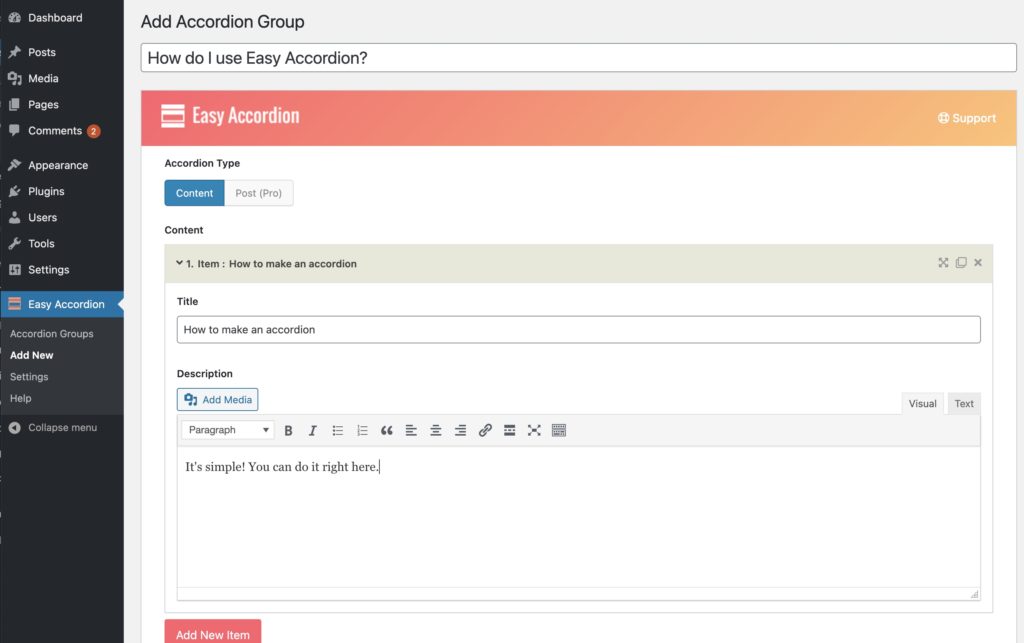
They also offer a pro version with more styles but I think the free version is all most users will need.
4. Built-In WordPress Accordion (No Plugin Required)
Before installing anything, it’s worth knowing that WordPress already ships with a built-in accordion: the Details block in the block editor (added in WordPress 6.3).
This native accordion relies on the HTML <details> and <summary> tags rather than JavaScript. You add it by inserting a Details block, setting the summary text as the clickable heading, and placing your content inside. There’s even an option to have the accordion open by default.
The biggest advantage of the built-in WordPress accordion is performance and accessibility. Because it’s pure HTML, there’s no extra JavaScript to load, and it’s keyboard and screen-reader friendly out of the box.
That makes it a great option for basic use cases: simple FAQs, documentation sections, or expandable content where multiple sections being open at once isn’t an issue.
That said, the native accordion is intentionally minimal. It doesn’t support advanced features like auto-closing other accordion items, animations, icons, or built-in FAQ schema. Styling options are also limited and depend heavily on your theme.
If you just need a lightweight, no-frills accordion and want to avoid plugins entirely, the built-in WordPress Details block may be all you need. For more advanced layouts, styling, or behavior, one of the accordion plugins below will be a better fit.
Which Accordion Plugin Should You Pick?
For most WordPress sites, the practical decision tree is short:
- Need an accordion with zero plugin overhead? Use the built-in Details block. Performance is great, accessibility is built in, no plugin to maintain.
- Need more styling control without JavaScript bloat? Use Lightweight Accordion. Same HTML approach as the Details block, plus color/border/FAQ-schema options and a Gutenberg block UI.
- Need animated transitions, tabs, multi-accordion logic? Use Easy Accordion. It adds JS but gives you more visual flexibility.
- Building a site with lots of expandable sections (knowledge base, product docs)? The Accordions plugin has the broadest feature set, including tabbed sections.
The most common mistake is overestimating how much accordion functionality you actually need. For a basic FAQ section, the Details block does the job in five seconds with zero performance cost. Reach for a plugin only when you genuinely need its extra features.