
There are a massive amount of plugins that will add social share icons to your WordPress site. With popular plugins in the space like Social Warfare and Easy Social Share buttons it can be confusing what to use on your site.
Many of these plugins come at a performance cost by including massive icon libraries or unnecessary code. I personally have found myself removing Social Warfare from sites for performance gains.
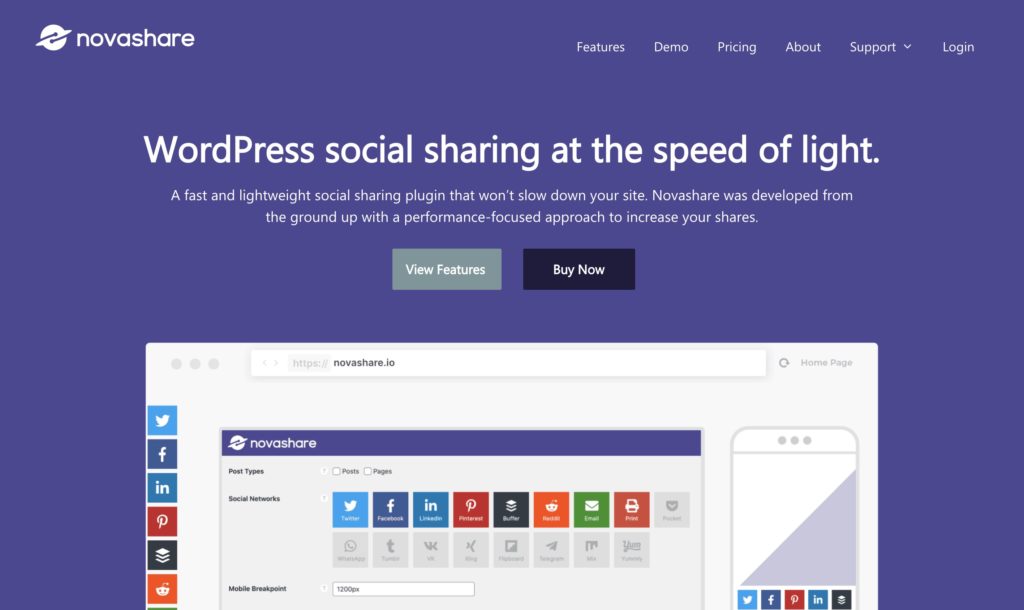
Novashare aims to change this by being a performance focused social sharing plugin.
This review was written against Novashare 1.2.8 in 2020, and the hands-on impressions below are from that version. The plugin is at 1.6.9 as of August 2026. The pricing, “what has changed” and comparison sections were checked against the current release in September 2026. SmartWP earns a commission if you buy through the links on this page; it does not change the price you pay.
- Novashare is premium only: $19.95 a year for one site, $49.95 for three, $99.95 for unlimited sites, with a 30-day money-back guarantee. There is no free version.
- It is made by forgemedia LLC, the company behind Perfmatters, co-founded by Brian Jackson, formerly CMO at Kinsta.
- The performance claim holds up. On novashare.io’s own homepage the plugin’s entire front-end footprint is a 930-byte inline stylesheet and no JavaScript at all.
- Since this review was written it has added Bluesky, Threads and Mastodon, a block for every feature, and buttons that hand a page to ChatGPT, Claude and other AI assistants.
- Facebook share counts are gone because Facebook shut off the API. Pinterest, Reddit and Buffer counts still work.
When I tested version 1.2.8 in 2020 the plugin claimed to have only 5 kb worth of assets, and from my testing this appeared to be true. The plugin uses inline SVGs to display the social icons and, at the time, added only 2 additional requests to your page (a CSS and a JS file).
Below are the Pingdom tests from that review, with the plugin disabled and enabled. You can clearly see that Novashare added only 4.9 kb to the page size while making 2 new requests.
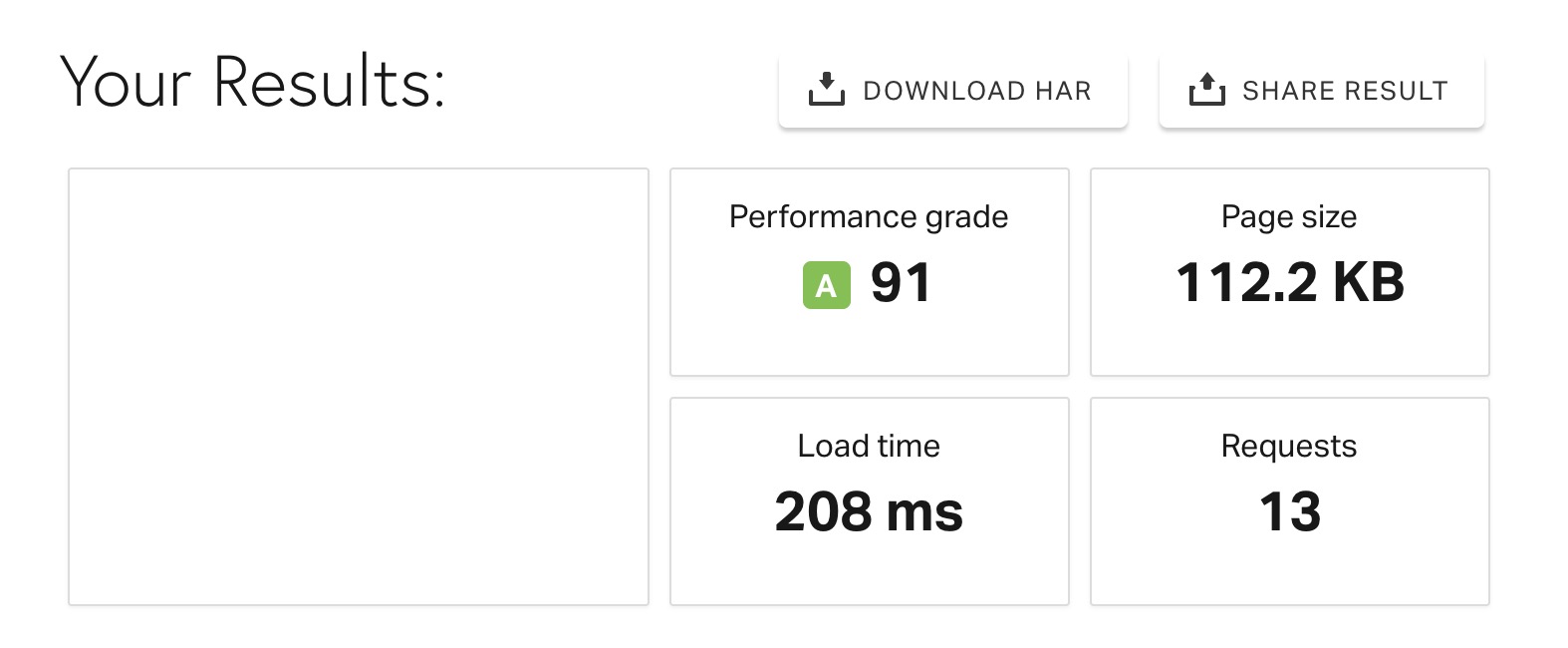

For the sake of comparison Social Warfare adds over 28 kb to your page load and 4 additional requests (vs not using a sharing plugin).
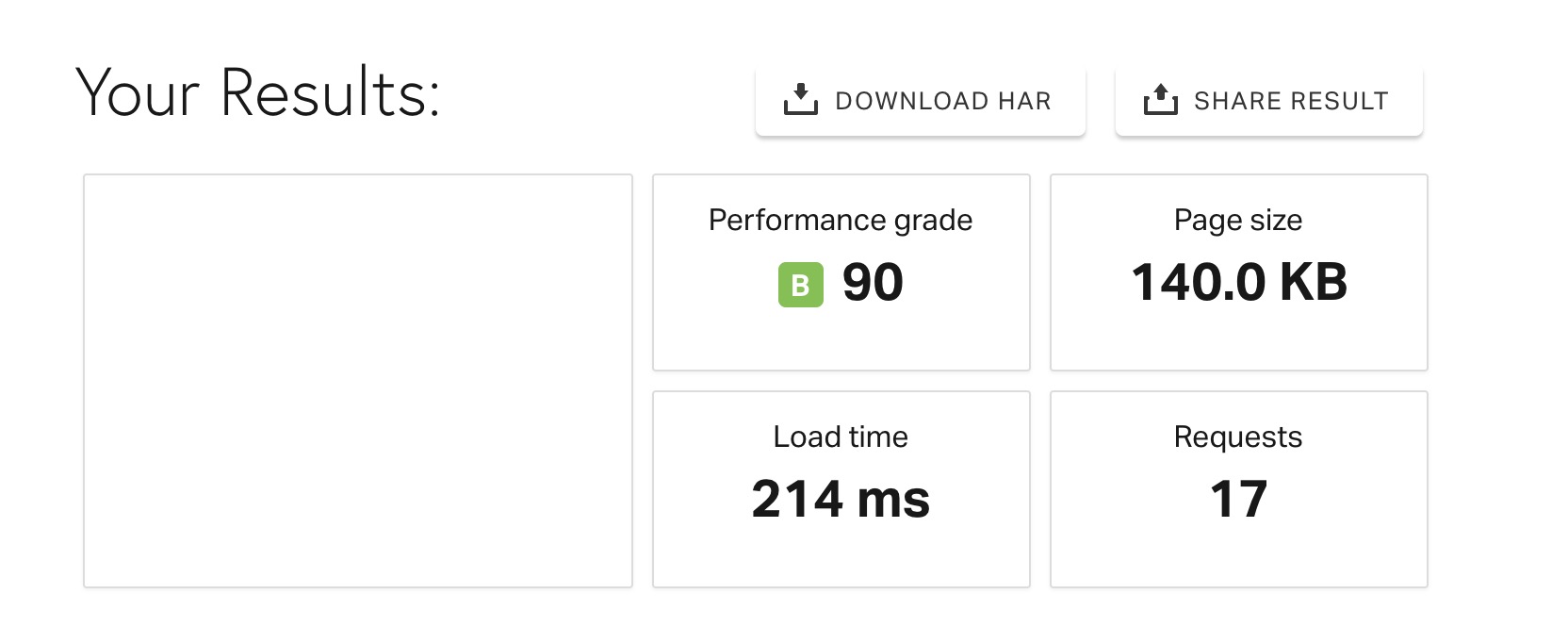
These results may be insignificant but if you are focusing on the maximum website performance cutting out 22 kb of data and multiple requests can be a huge gain.
The plugin has got lighter since then, not heavier. In version 1.5.4 (September 2024) the share buttons switched from popup windows to opening in a new tab, and the changelog notes that this let the developers remove the front-end JavaScript file entirely. The current version advertises a front end under 3.2 KB with no JavaScript loaded in a basic setup and no jQuery dependency. Rather than take that on trust, we checked novashare.io itself, which runs the plugin: the only thing Novashare adds to that homepage is a single inline stylesheet of 930 bytes, and there are no plugin script requests whatsoever. The share buttons are plain links with inline SVG icons. That is about as small as a sharing plugin can physically get.
If you need a simple and fast social sharing plugin Novashare will make a great addition to your site.
Novashare includes an incredibly simple options page. It’s actual one of my favorite parts of the plugin. Compared to other social sharing plugins I have used in the past I think Novashare has a more logical layout.
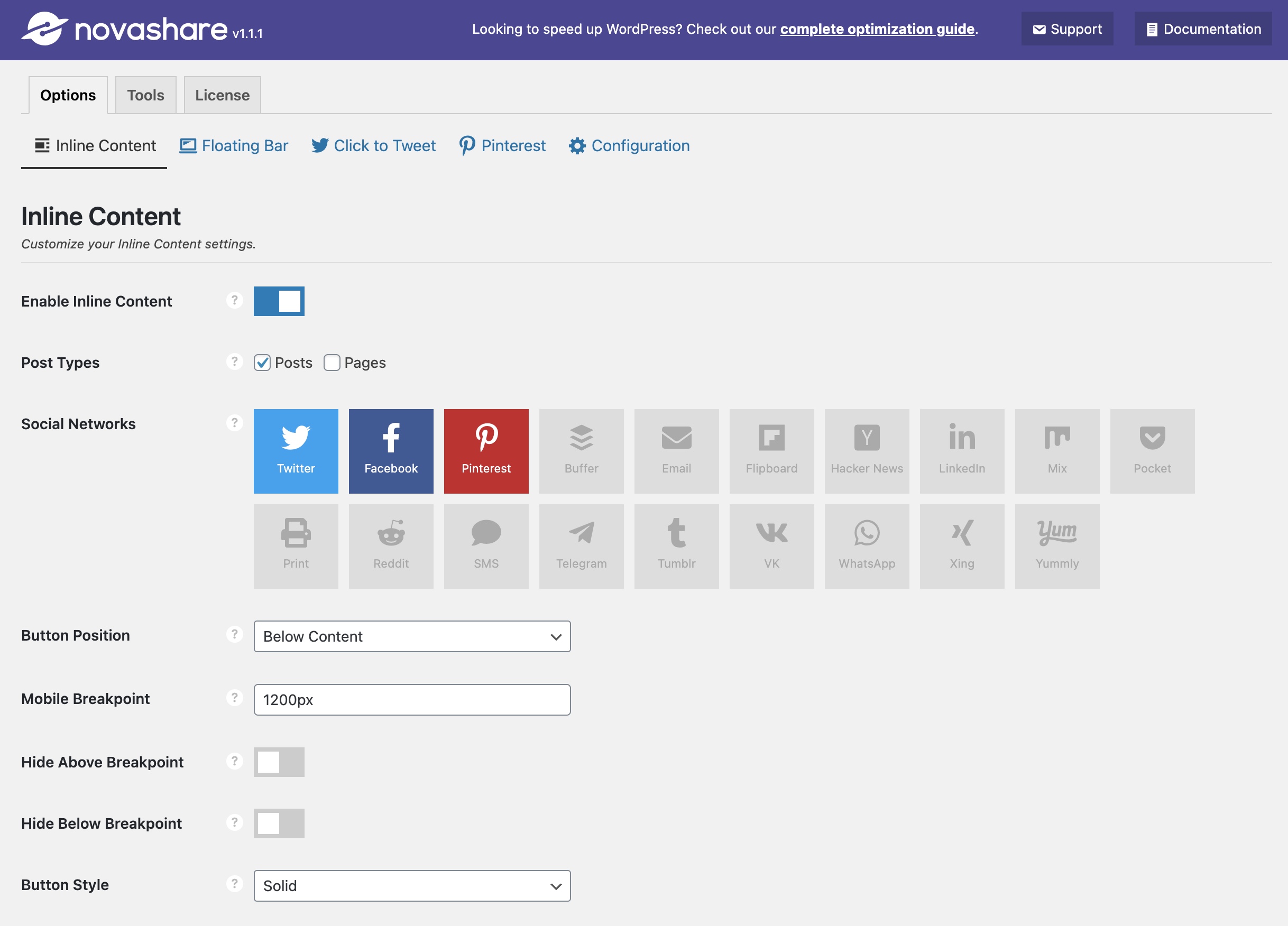
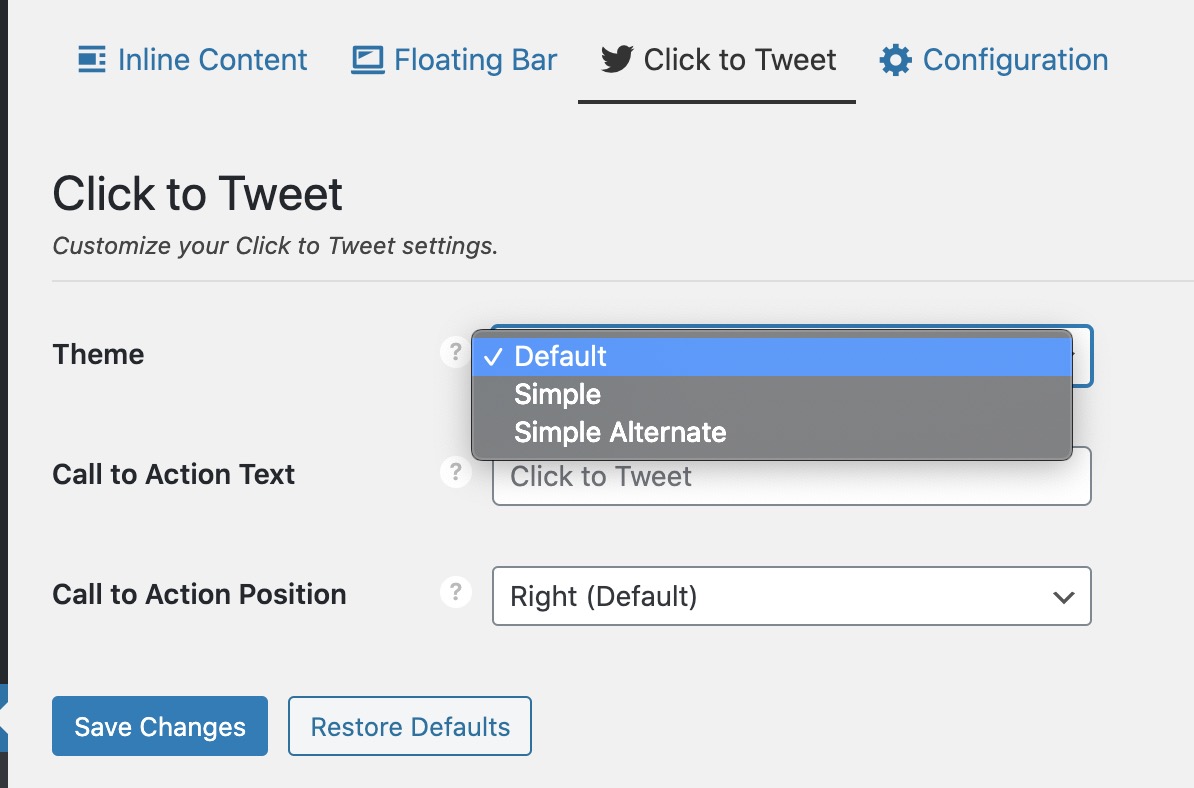
The plugin breaks up into Inline Content, Floating Bar, Click to Tweet, Pinterest, and Configuration.
Inline Content is if you want the share buttons before/after your content. This will probably be the most common use case. In addition to selecting what post type the buttons will appear on you can easily select what social networks appear.
Like most sharing plugins you can easily click to enable/disable what networks appear and drag them to rearrange them.
If Novashare is missing any functionality you need you can track their future features on their feature requests page. Plus their support is top notch at responding, after having an issue in my case they quickly deployed an update with the feature I wanted.
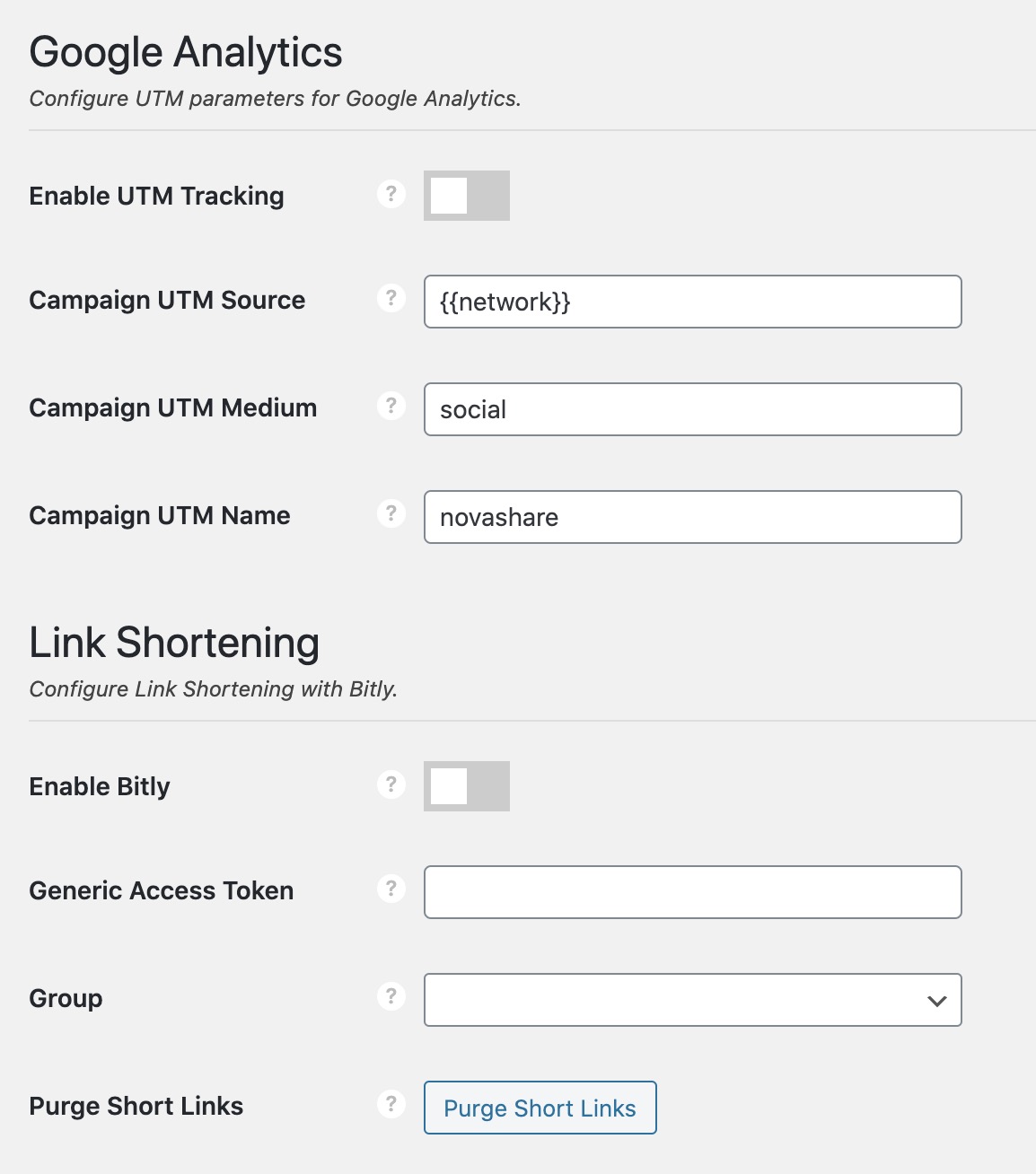
The Novashare options do include the ability to dynamically pull in social share counts, change colors of the share icons, add Google Analytics tracking, and use bit.ly for link shortening.
Share counts are the one feature that has shrunk, through no fault of the plugin. When I reviewed it, the dynamic counts for Pinterest and Facebook worked well. Facebook has since deprecated its share-count API, so those numbers are no longer available to any plugin, and X (formerly Twitter) removed its counts back in 2015 and never restored them. Novashare used to approximate X counts through the TwitCount service; it dropped that integration in 2024 when the API was deprecated. The current feature list shows count support for Pinterest, Reddit and Buffer. If total share counts are the reason you want a sharing plugin, expect them to understate reality on every plugin, not just this one.
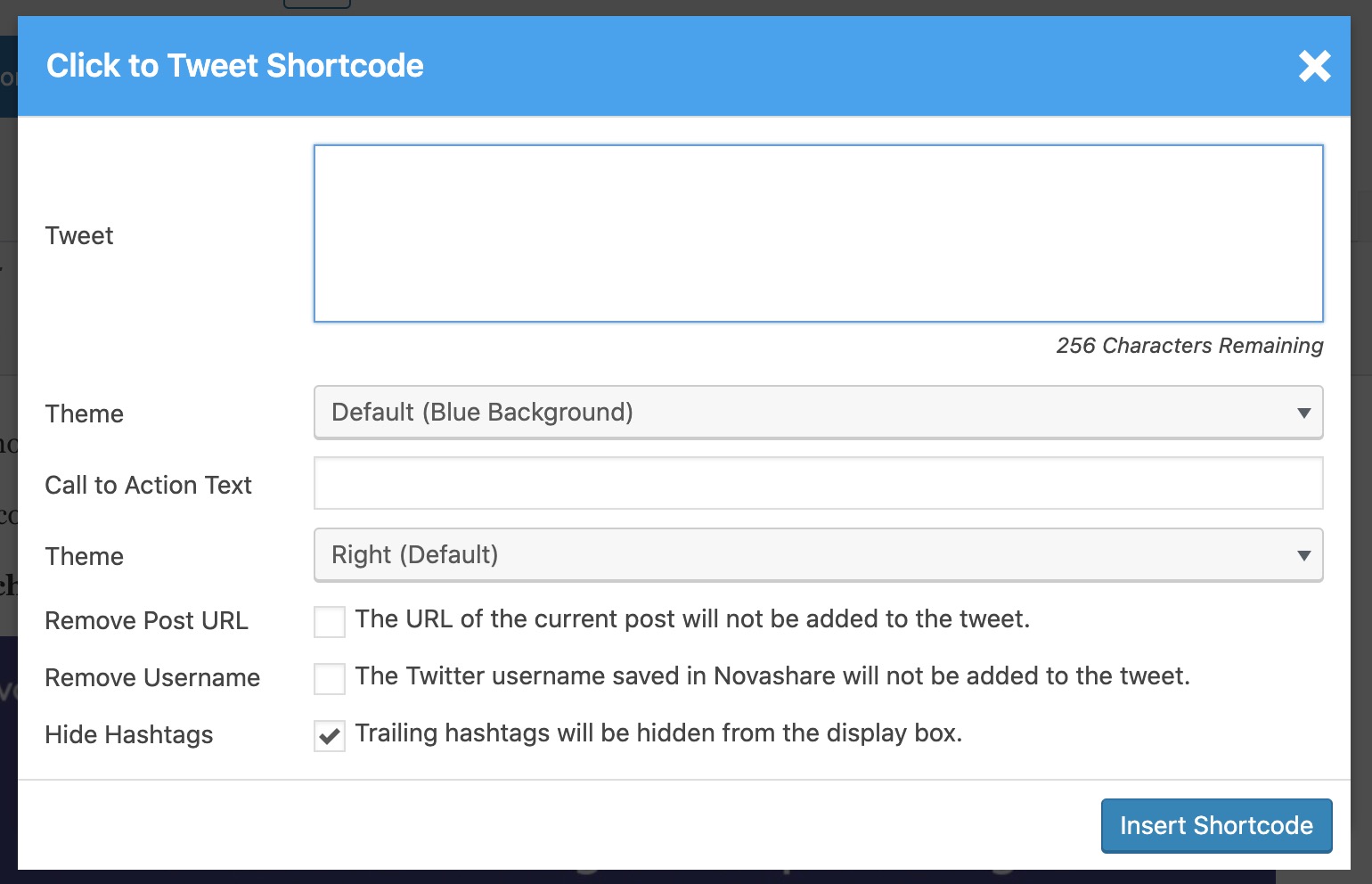
Novashare also includes click-to-share quote boxes for X. The feature is now presented as “Click to Post” on the site, although the editor block still carries the older “Click to Tweet” name. I personally don’t add this to my sites but it’s a nice option if you’re coming from Social Warfare, which had the same feature.
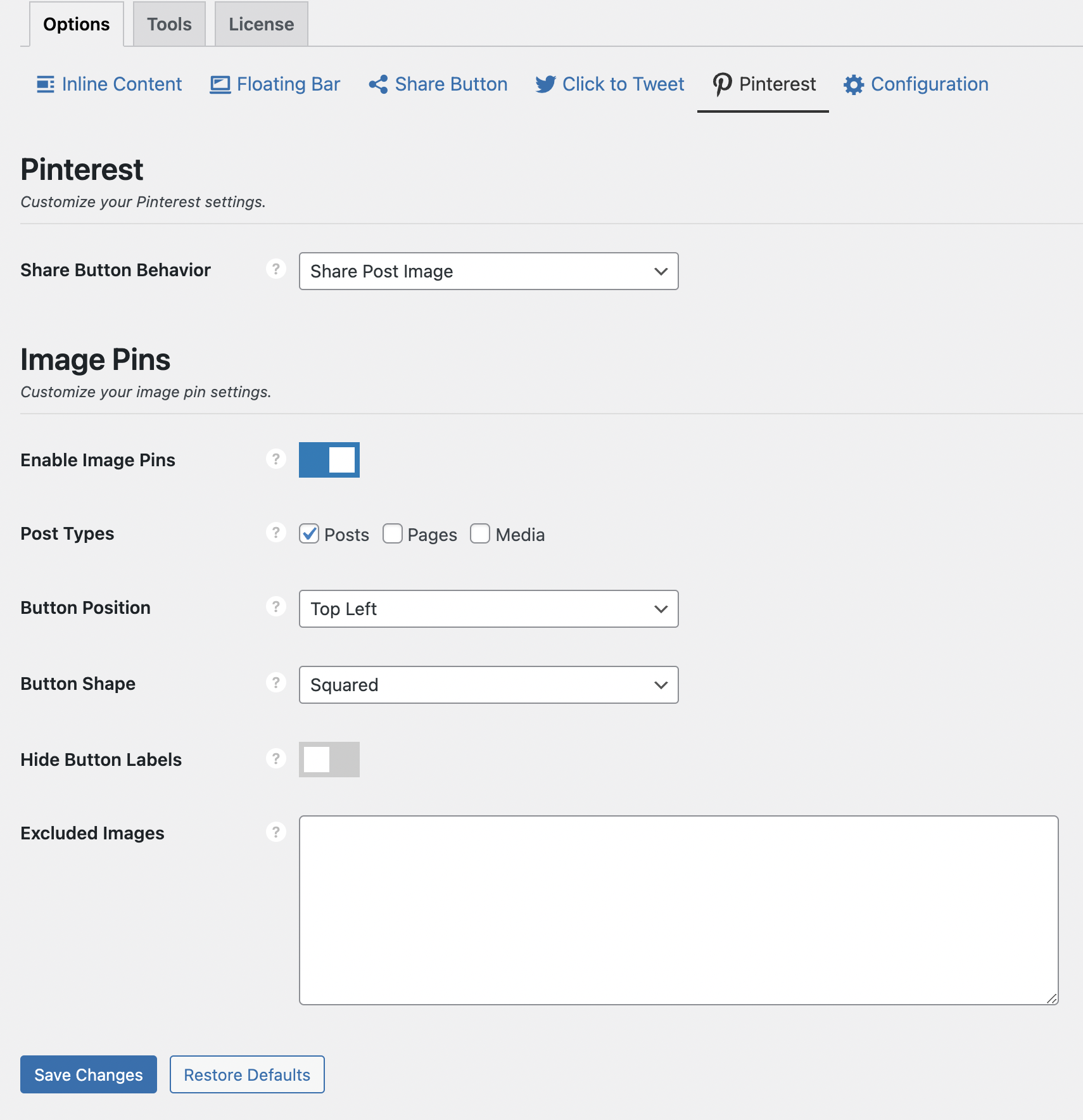
Novashare also has options to add pin buttons to images when the users hover over them. This is a great feature for sites with a lot of photography.
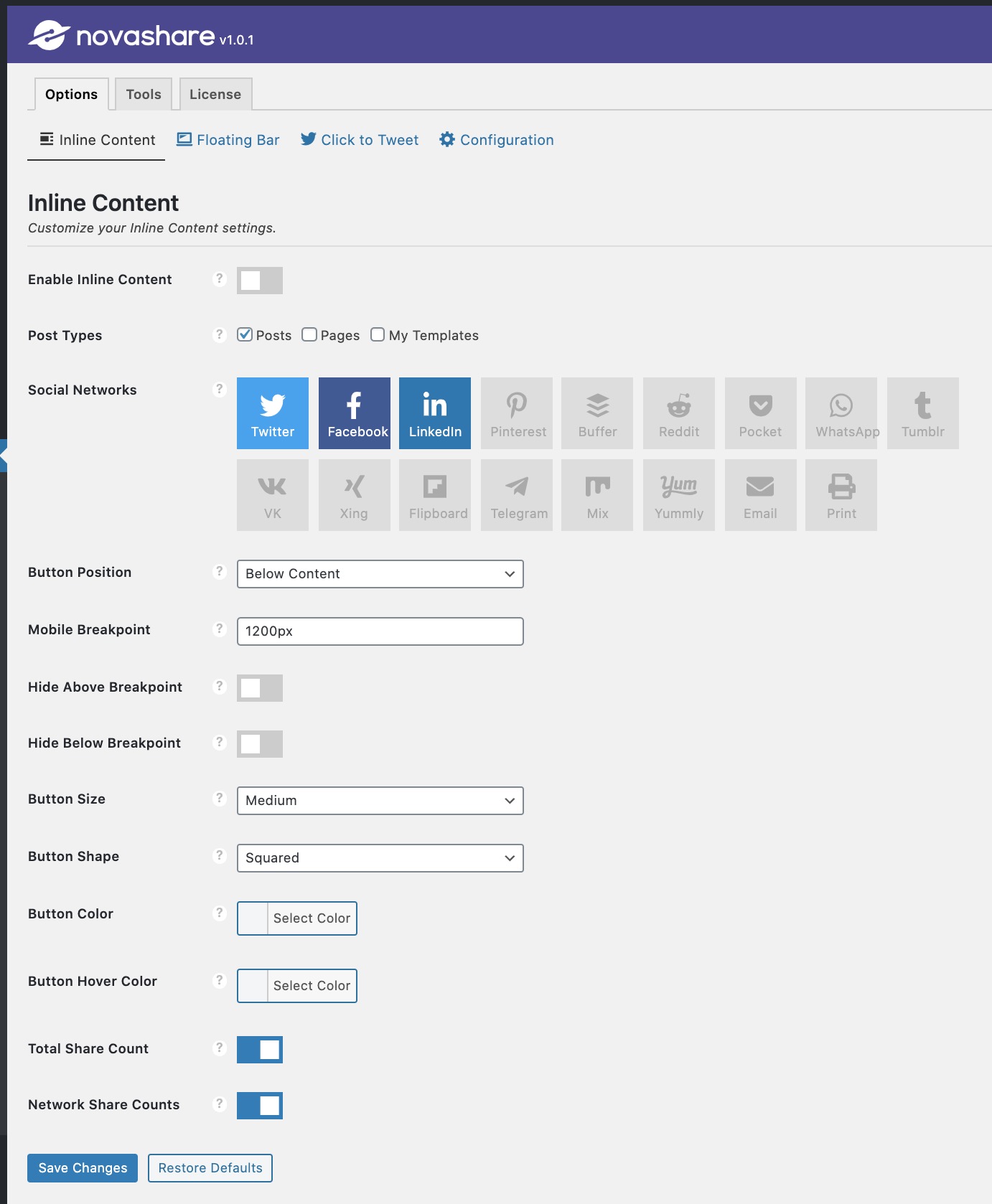
Below I included a few more screenshots from the Novashare option pages. Some things that I didn’t include in this review are the button styles added in version 1.1. This update adds a lot more button styles which you can see here.
What Has Changed Since This Review
Version 1.2.8 was current in May 2020. The changelog puts the plugin at 1.6.9 as of 21 August 2026, with releases landing every month or two. The changes that matter for a buyer:
- New networks. Bluesky (share and follow buttons) arrived in 1.5.4, and Threads and Mastodon are in too, alongside X, Facebook, LinkedIn, Pinterest, Reddit, WhatsApp, Telegram, Hacker News, Flipboard, email, print, SMS and copy-link.
- Share-to-AI buttons. The current network list includes ChatGPT, Claude, Google AI, Grok, Mistral and Perplexity, which hand your page URL to the assistant. Unusual, and a sign of where the plugin’s authors think referral traffic is heading.
- Block editor support. There is now a block for every feature: Share Buttons, Follow Buttons and the Click to Tweet block, with layout, style and colour controls inside the editor rather than only on the settings page I reviewed in 2020.
- No front-end JavaScript. Since 1.5.4 the buttons open in a new tab instead of a popup, which is what allowed the plugin’s JavaScript file to be removed from the front end altogether.
- Image hover pins for Pinterest still work with no extra JavaScript, and the GDPR position is explicit: no trackers, no third-party scripts, no cookies, no personal data collected.
The settings screenshots in this review are from the 2020 version. The options themselves are largely the same, but the block-based controls are new and the screens will not look identical.
Novashare is a premium plugin with no free tier and no listing on WordPress.org. Licences are annual and priced by site count:
| Plan | Sites | Price |
|---|---|---|
| Personal | 1 site | $19.95 per year |
| Business | 3 sites | $49.95 per year |
| Unlimited | Unlimited sites, with multisite support | $99.95 per year |
Every plan comes with a year of updates and premium support and a 30-day money-back guarantee, so you can measure it on your own site and refund if the numbers disappoint. The plugin keeps working if you let the licence lapse; you just stop receiving updates. For a single site, $19.95 a year is less than most page builders charge for a month, and the unlimited plan is the obvious pick for anyone managing more than three sites. You can check current pricing on novashare.io.
Novashare is built by forgemedia LLC, the same small company behind Perfmatters, the performance plugin that appears in most “speed up WordPress” guides including ours. Co-founder Brian Jackson was previously CMO at Kinsta, and the company’s about page describes the plugin as something they built because they could not find a sharing plugin that was fast and simple. That pedigree is the most useful thing to know about it: the same team that obsesses over shaving requests off a page in Perfmatters is the team deciding what goes into Novashare, and it shows in the numbers above.
How It Compares to Free Alternatives
Most people weighing Novashare are really asking whether a paid sharing plugin is worth it when the free ones work. Here is where the popular free options stand, with install counts and update dates taken from WordPress.org on 4 September 2026:
| Plugin | Price | Active installs | Last updated |
|---|---|---|---|
| Novashare | From $19.95 a year | Not listed (premium only) | August 2026 (v1.6.9) |
| AddToAny | Free | 300,000+ | May 2026 |
| Hubbub Lite (formerly Grow by Mediavine, originally Social Pug) | Free, Pro tier paid | 30,000+ | July 2026 |
| Sassy Social Share | Free | 100,000+ | September 2025 |
| Social Warfare | Free, Pro tier paid | 10,000+ | March 2025 (tested to WordPress 6.7) |
| ShareThis Share Buttons | Free (hosted service) | 10,000+ | August 2026 |
A few notes on that table. Hubbub has had three names: it launched as Social Pug, became Grow by Mediavine after Mediavine bought it in 2019, and was renamed Hubbub after NerdPress took it over in 2024, so reviews of any of those three are about the same plugin. Social Warfare, the plugin I removed from sites for performance reasons back in 2020, has not been updated in over a year and is only tested up to WordPress 6.7, which would stop me installing it today regardless of speed. ShareThis is a hosted service that loads its buttons from its own servers, which is the opposite of the approach Novashare takes.
If you want free and light, AddToAny is the sensible default: huge install base, actively maintained, and it can be configured to stay small. Where Novashare earns its price is the combination: a footprint measured in bytes rather than kilobytes, Pinterest image hover pins without extra JavaScript, working share counts for the networks that still offer them, blocks for everything, and support from the developers themselves. If none of those matter to you, save the money. If two or more do, it is cheap.
Conclusion
Novashare is the social sharing plugin I’d spent years looking for.
Previously I removed all social sharing plugins from my sites because of performance issues. Now I no longer have to feel guilty by adding a bloated sharing plugin to my pages by using this lightweight sharing plugin!
I think Novashare is an essential part of any WordPress site looking to add social sharing options.
Buy Novashare Here (affiliate link)
Frequently Asked Questions
Is there a free version of Novashare?
No. Novashare is premium only and is not listed on WordPress.org. The cheapest way in is the Personal plan at $19.95 a year for one site, and every plan carries a 30-day money-back guarantee. If you need a free option, AddToAny is the most widely used lightweight alternative.
How much does Novashare cost?
$19.95 a year for one site, $49.95 a year for three sites, or $99.95 a year for unlimited sites including multisite, as of September 2026. Each plan includes a year of updates and support. The plugin continues to work if the licence expires; you only lose updates.
Who makes Novashare?
forgemedia LLC, a small company co-founded by Brian Jackson, formerly CMO at Kinsta. They also make Perfmatters, one of the most widely recommended WordPress performance plugins, which is a good indication of the priorities behind Novashare.
Does Novashare support Bluesky and Threads?
Yes. Both were added after this review was written. Bluesky has share and follow buttons, and Threads, Mastodon, Reddit, LinkedIn, Pinterest, X, Facebook, email, print, SMS and copy-link are all available, plus buttons that send a page to ChatGPT, Claude, Google AI, Grok, Mistral or Perplexity.
Does Novashare slow down my site?
Not measurably. The vendor’s figure is under 3.2 KB on the front end with no JavaScript in a basic setup, and our own check of novashare.io, which runs the plugin, found a single 930-byte inline stylesheet and no plugin script requests. Icons are inline SVG, so there is no icon font or image sprite to download either.
Is Novashare GDPR friendly?
The plugin loads no third-party scripts, sets no cookies and collects no personal data, so there is nothing to disclose or gain consent for. The only external connections are the ones a visitor makes when they actually click a share button.
Is this the same Novashare as the file-sharing service?
No. There is an unrelated file-sharing platform that also uses the Novashare name. This review is about the WordPress social sharing plugin from forgemedia at novashare.io.





One Response
Thank you for your review, Andy. I’ve been looking for a good share plugin that doesn’t slow down the site. Having read all the reviews of the other plugins, and the trouble people got in using them, I’m willing to try this one – since I saw that Kinsta is using it themselves as well. I figured, that if you’re a website host, then you just have to rely on well-functioning plugins, isn’t it?
Best regards,
Margreet Nannenberg
Marsconnects