Autoblogging is the process of automatically creating WordPress posts from external inputs like RSS feeds, AI topic generation, keyword lists, or structured sources like YouTube channels. A plugin or connected service pulls items on a schedule, formats them, and either publishes them live or queues them for review. Done well, it’s a content pipeline. Done lazily, it’s a fast way to get demoted by Google.
If posting regularly feels like trying to keep a garden alive with no time to water it, autoblogging sounds tempting. Set it up once, then watch new posts appear while you work on other parts of your site. The catch is that the difference between “useful automation” and “thin content that tanks your rankings” comes down to the setup, not the tool.
This guide breaks down how autoblogging actually works in WordPress, what to automate (and what to keep human), and the safeguards that keep you on the right side of search in 2026.
- Autoblogging automatically creates WordPress posts from inputs like RSS feeds, AI topic generation, or keyword lists.
- Done lazily, it produces thin, duplicate content that Google’s core ranking systems demote.
- Done responsibly (curated sources, unique value, human review), it can scale a real content operation. Having run one, my verdict is that it works, but not as a shortcut.
- Top blog-automation tools in 2026 include RightBlogger, Outrank, Arvow, Autoblogging.ai, and SEObot, ranging from editor-assisted drafting to fully unattended publishing.
What autoblogging is (and what it isn’t)
Step 3 is the one people skip, and it is the one that decides whether the other three were worth running.
The definition is simple enough, but the important part is how you use it. Two sites can run the exact same autoblogging setup and end up with wildly different outcomes based on source quality, editorial oversight, and how much original value gets added before publish.
Autoblogging is useful when you need timely updates, recurring summaries, or curated roundups. For example, you might run a niche site like a local events site that uses content curation to import event listings from approved partners, then adds your own notes, maps, and “who it’s for” advice. Another good fit is a niche news brief where you publish short, attributed summaries, then link to original reporting.
On the other hand, autoblogging becomes risky when it turns into bulk publishing of duplicate content. The policy that applies is Google’s scaled content abuse rule, and it is worth reading the actual wording rather than the summaries of it. Google defines the problem as many pages generated primarily to manipulate rankings rather than help people, and it applies that test no matter how the content was created.
That last phrase is the one that matters, because the policy names three tactics and all three describe ordinary autoblogging setups:
- Using AI tools to generate many pages without adding value for users.
- Scraping feeds, search results or other content to generate many pages, including via automated transformations like synonymising or translating. This is RSS-driven autoblogging described almost exactly.
- Stitching or combining content from different pages without adding value.
One piece of housekeeping, because a lot of autoblogging advice still leans on it: the Helpful Content system no longer exists as a separate thing. Google lists it under retired systems, having folded it into core ranking in March 2024, alongside Panda and Penguin. If a guide tells you to worry about “the HCU” as a distinct update, it is working from an old map.
Read them together and the qualifier repeats every time: without adding value, little value. The method is not what gets you demoted. The absence of anything worth reading is. That is also why Google has said separately that AI-generated content is not automatically against the rules, as long as it is useful. High-quality automated pages can rank; low-quality ones drag the whole domain down, whether they came from scraping, feeds, or a model.
If your auto-posts don’t add something a reader would miss, they aren’t helping your site. They’re just filling space.
So, think of autoblogging as a conveyor belt. It can move items fast, but you still choose what goes on it, how it’s labeled, and what gets rejected.
What I Have Learned Actually Running One
Disclosure up front, since it matters for how you read this: I co-founded RightBlogger, which sells automation software. I also run a product site where posts are generated and published automatically every day, and that has taught me more about autoblogging than building the tool did.
The thing that surprised me most is where the value actually sits. On that site, the automatically generated posts are not what earns rankings. The pages that do the work are the curated hubs sitting on top of them, the collection and category pages where a human decided what belongs together, what is worth comparing, and what to leave out. The automated posts are inventory. The curation is the product.
That reframes the whole question. Automation is genuinely good at producing and maintaining volume, and volume is a real asset when something on top of it is doing the thinking. It is bad at being the thinking. Strip out the human layer and what remains is a large number of pages that each restate something a reader could get elsewhere, which is more or less the profile Google’s scaled content abuse policy describes.
So the honest verdict, from both sides of it: autoblogging works, but not as a shortcut. It removes the grind of production. It does not remove the requirement to have something worth saying.
The autoblogging pipeline in WordPress
Most WordPress autoblogging setups follow the same flow, even if the plugin names differ:
- You pick a source type. Common inputs include RSS/Atom feeds, keyword-based content discovery, and APIs (some tools like RightBlogger can pull from YouTube or social media platforms). Your first job is deciding what you’ll accept and what you’ll refuse.
- The import runs on a schedule. WordPress often relies on WP-Cron (triggered by site visits), although many site owners prefer a real server cron for reliability on low-traffic sites.
- A WordPress plugin fetches items and normalizes them. Titles, dates, authors, images, and categories get mapped into WordPress fields. Better tools also store a source ID so they can skip duplicates later.
- Content processing happens next. Depending on your rules, the plugin might:
- Create a short excerpt and keep the original link as the main destination.
- Build a summary and add attribution.
- Use AI to draft a rewritten version (which still needs editing).
- Insert internal templates like disclaimers, pros and cons blocks, internal linking to other relevant posts on the site, or affiliate disclosures.
- Publishing and rate controls kick in. Instead of dumping 50 posts at once, you drip them out. Rate limits protect your site performance and help you avoid obvious automation footprints.
If you’re exploring plugins, vet them before you install anything. An autoblogging plugin runs unattended, writes to your database on a schedule and usually calls an external API, so an abandoned one is a bigger liability than an abandoned contact form. Four things to check on the WordPress.org listing, all visible without installing it:
- When it was last updated. Anything past a year without a release on a plugin that publishes automatically is a risk, not a bargain.
- The “tested up to” version. If it has not been tested against current WordPress, nobody has confirmed it still works on your site.
- Active installs. Several of the autoblogging plugins in the directory sit in the low hundreds, which means very few people would notice if one broke.
- Where the content comes from. If it fetches through an external API, that vendor’s uptime and data handling matter as much as your WordPress settings, and your posts stop the day their service does.
That check takes a minute and it is the one most people skip. Our guide to spotting abandoned WordPress plugins covers what the warning signs look like, and the plugin detector will run the same check against any site automatically.
Also, if your workflow includes AI-generated content, keep the writing step separate from publishing. You can generate a usable first pass, then rewrite with your own experience and screenshots. (For the broader category these tools fall under, see the best WordPress AI plugins in 2026.)
If you want a starting point for that part of the workflow, SmartWP’s AI WordPress article writer can help you move from topic to draft fast, but you still own the accuracy and final voice.
How to autoblog responsibly in 2026
Autoblogging only works long-term when you treat automation as a helper, not a replacement for judgment. That starts with your sources.
Choose sources like an editor, not a scraper
Before you import anything, set criteria you can explain out loud:
- Do you have permission to republish, quote, or summarize? RSS feeds don’t automatically grant republication rights, and assuming they do is how people end up with copyright issues.
- Is the quality consistent? If the source feed is full of thin posts, your site will inherit that problem at scale.
- Will the source still exist in six months? Feeds break, endpoints change, and APIs get rate-limited or killed. Don’t build a pipeline on something that could disappear overnight.
- Does it match your audience? A big-name source is still the wrong source if its content doesn’t fit what your readers came for.
When you’re unsure, summarize and link out, rather than republishing full text.
Add unique value so the post earns its place
If I had to name the one mistake that kills autoblogged sites, this is it: publishing posts that restate what already exists instead of adding something a reader cannot get anywhere else. It is not about word count. A 2,000-word post that rearranges the same facts as the top ten results is thin in the way that matters, and it is the most common failure mode I see by a wide margin.
Your edge is what you know, not what you can import. Good “value add” options include short comparisons, a local angle, setup steps, updated screenshots, or a plain-English explanation of what changed and why it matters. Adding these original insights boosts search engine optimization and builds organic traffic. Even a tight “what to do next” section can turn a generic update into something useful.
Put safeguards in place before you scale
A safe autoblogging setup usually includes:
- A manual review queue. Import posts as Draft or Pending Review so a human edits them before anything goes live, especially when AI is drafting the body.
- Duplicate detection. Skip anything with a matching title, source ID, or near-identical body so you don’t republish the same item twice.
- A plagiarism check as a filter, with manual fact verification on top of it for quotes, dates, and names.
- A habit of actually fact-checking. Confirm dates, prices, product names, and anything labeled “breaking” before it hits publish.
- Rate limits. Cap imports per hour and per day, and throttle AI calls so a bug doesn’t generate a four-figure bill overnight.
- Import logs. You want a paper trail when something breaks or a feed starts misbehaving.
WordPress offers cost-effectiveness as a publishing platform for content marketing, but safeguards like these help produce unique articles through automation combined with manual editing.
A good rule: don’t automate anything you can’t monitor.
Monitor performance and search trust signals
After you turn autoblogging on, watch three places:
- Google Search Console, for coverage issues, manual actions, sudden indexing drops, crawl spikes, and how meta descriptions are rendering on imported posts.
- Analytics, broken out by template, source, and category. Your auto content should not be the highest bounce rate cluster on the site.
- Server and plugin logs, for cron failures, feed timeouts, memory errors, and hitting API limits.
If a source starts producing low-quality items, pause it quickly. Your site’s overall quality signals matter more than volume.
Monitoring tells you what needs fixing. Actually applying those fixes across a growing library is its own ongoing job, and a newer class of tool automates the maintenance side.
RightBlogger’s Site Agent scans your WordPress site on a schedule and improves existing posts over time, fixing broken links, adding missing internal links, flagging low-CTR titles, and refreshing stale date references.
You can let it apply low-risk changes automatically or queue them for your review, and every edit stays reversible. It is the inverse of autoblogging: instead of publishing new posts, it keeps the ones you already have healthy.
The other thing worth watching in 2026 is whether any of this content is being cited by AI assistants, because Search Console only reports Google. RightBlogger’s AI Brand Monitor runs the questions your buyers actually ask on ChatGPT, Gemini, Perplexity, and Claude on a schedule and reports whether your site is named, which competitors are, and which pages the answers cite. For an autoblog that is the cleanest signal that the content is earning citations rather than merely being indexed.
It also takes instructions now, which is the part that changes how you use it. Rather than only running its own scheduled audit, you can dispatch a task by describing the job in a sentence, and it works through your library applying it. Useful when the change is obvious but tedious across a few hundred posts:
- Swap every link pointing at an old domain over to the new one after a rebrand or a migration.
- Go back through older posts and link them to a guide you have just published, wherever it genuinely fits.
- Retire a product or plugin you no longer recommend, across every post that still mentions it.
Tasks are folded into its next runs rather than fired off all at once, so a large job works through a few posts at a time instead of rewriting your whole site in one pass. That is the right default for this kind of bulk edit: the same job done with a database search-and-replace gives you no review step and no way back.
Autoblogging vs AI content generation vs RSS readers
Quick way to think about the differences, especially for sites doing affiliate marketing or niche monetization:
| Approach | What you get | What you control | Main risk | Best use |
|---|---|---|---|---|
| Autoblogging | Posts created in WordPress automatically | Source rules, templates, scheduling, review gates | Low-value scale and duplication | Curated briefs, listings, structured updates |
| AI content generation | Drafts written from prompts or outlines | Voice, structure, originality (with editing) | Hallucinations and sameness | Tutorials, comparisons, first drafts |
| RSS feed readers | A private stream of updates | Your reading list, not your site | No publishing workflow | Research and topic discovery |
If you’re combining autoblogging and AI, keep human review in the middle to create unique articles. SmartWP’s guides on the best AI writers for bloggers can help you choose tools that support editing and consistency, not just fast output.
The Part Most Autoblogging Setups Skip: Getting the Post Seen
Almost every autoblogging guide stops at the moment a post goes live. That is the wrong place to stop, and it is a bigger problem for automated content than for anything else you publish. A post you wrote by hand usually has something pushing it along: you shared it, you emailed it, someone was waiting for it. A scheduled post that appears at 9am on a Tuesday has none of that. It sits there waiting to be found.
Two things move it. The first is distribution, which mostly means getting the post in front of an audience that already exists somewhere else. The second is links, which is what actually moves rankings and is also the hardest part of SEO to automate without doing something you regret.
Scheduling a social post at the same time a blog post publishes is a genuinely safe thing to automate, because the risk profile is different from automating the writing. Nobody is going to penalize your site for a badly worded tweet. Worst case, it gets ignored.
Most autoblogging tools do not handle this at all, which is why so many automated blogs publish into silence. RightBlogger added social integrations for X (Twitter), LinkedIn, Facebook, and Threads, so a scheduled post can go out to those channels as part of the same workflow rather than being a separate chore you forget. The Solo plan covers LinkedIn, and all four are on the Pro and Agency plans.
One caveat worth keeping: auto-posting the same headline and link to four networks is distribution, not engagement. It puts the post in front of people. It does not replace actually talking to them, and the platforms reward the second thing far more than the first.
One thing to leave alone: link building. Automating publishing is a judgement call, but automating link acquisition crosses from risky into what Google’s spam policy actually names, including “using automated programs or services to create links to your site” and “excessive link exchanges.” Keep your automation on the publishing side of the line and earn links the slow way.
Best Blog Automation Tools in 2026: 5 Options Compared
The short answer: the best blog automation tool in 2026 depends on what you actually need. RightBlogger fits sites that want automation tied to a real editorial workflow with manual review baked in. Outrank fits keyword-driven content calendars where the goal is filling a search-shaped pipeline. Arvow fits high-volume structured content streams where format is repeatable. Autoblogging.ai fits bulk production from a keyword list you already have. SEObot fits founders who want the whole thing running unattended. They are ordered below from the most hands-on to the most hands-off.
Disclosure: I co-founded RightBlogger, so I’m biased. I’ve tried to keep the descriptions below honest about each tool’s actual fit and trade-offs.
If you want automation without turning your site into a content firehose, the tool matters. Some tools are better at “publish more.” Others are better at helping you publish better with less effort.
1. RightBlogger

RightBlogger is the best way to automate your blog if you want automation that still feels like you are running a real editorial workflow. Instead of only pushing out posts, it helps you create drafts you can quickly shape into something original.
- Best for: WordPress users who want faster drafts, a cleaner workflow, and more control over quality.
- How it helps: you can generate posts from real inputs (like topics and video content), organize them in a simple publishing flow, then send them to WordPress as drafts or scheduled posts. It now also covers what happens after publish, with social integrations for X (Twitter), LinkedIn, Facebook, and Threads.
- Watch-out: the editorial-workflow framing is its strength, but it also means RightBlogger is not the right pick if you want full unattended publishing. You still have to review and shape drafts; if you’re set on hands-off automation, a SEObot-style tool will fit better.
2. Outrank
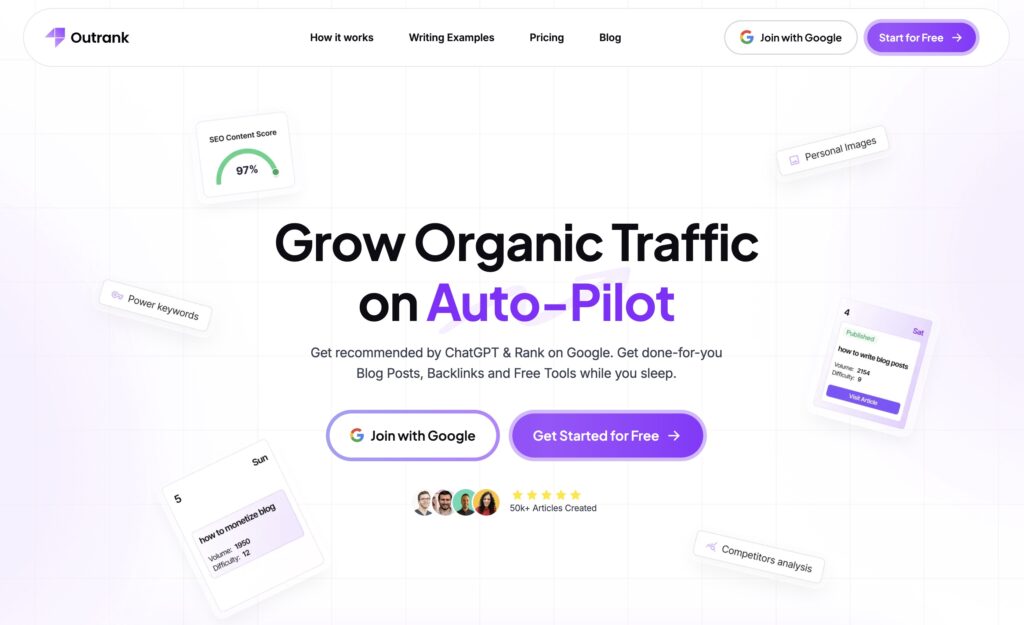
Outrank is more focused on SEO planning and keyword-driven writing. It is designed to help you fill a content calendar based on search opportunities.
- Best for: turning keyword ideas into consistent, SEO-shaped drafts.
- How it helps: you pick topics or keywords, it generates posts, and it can publish to WordPress on a schedule.
- Watch-out: it is easy to let keyword automation drive the whole strategy. You still need to add distinct angles, real-world insight, and updates, or posts can start to feel similar.
3. Arvow (formerly Journalist AI)
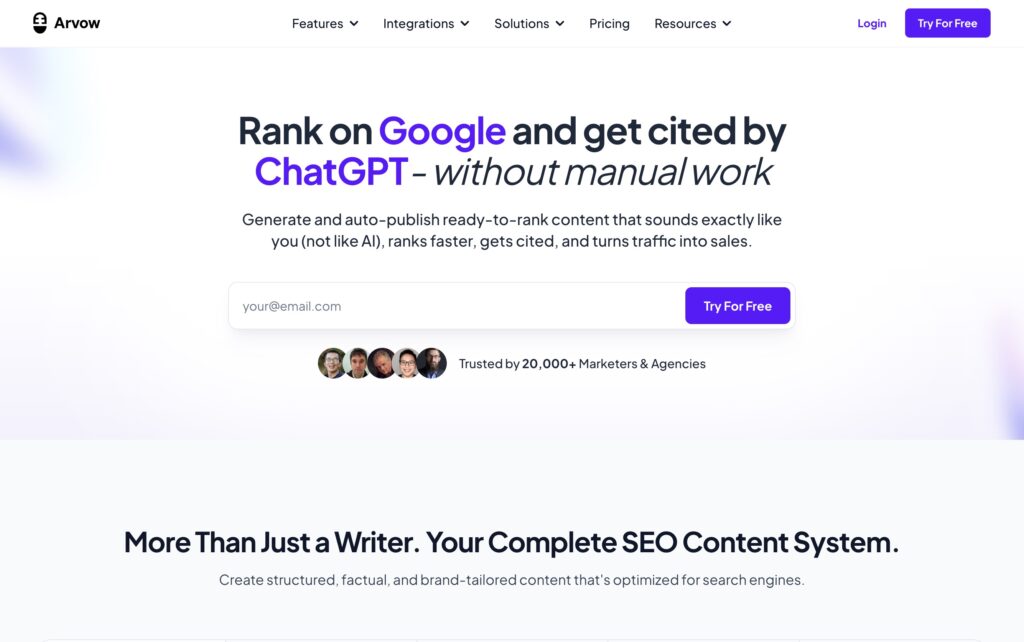
Arvow is geared toward heavier automation, including RSS-style sourcing and higher-volume posting with rules and templates.
- Best for: structured content streams (briefs, updates, roundups) where volume matters and the format is repeatable.
- How it helps: you choose an automation mode (auto-publish, planned, or review-first) and connect WordPress to schedule posts.
- Watch-out: with tools built for scale, quality control has to be intentional. Review queues, rate limits, and strict source rules are not optional.
4. Autoblogging.ai

Autoblogging.ai is the biggest name in this category and the one you will hit first if you search for any of these terms. It is built squarely for volume: you hand it a list of keywords and it returns articles in batches.
- Best for: producing a lot of articles from a keyword list you already have.
- How it helps: bulk generation takes a CSV and turns it into up to 500 articles in a single batch. There is a fast single-article mode, a deeper one that runs SERP analysis first, and separate modes for news and Amazon product reviews. It publishes to WordPress through its own plugin, and a free tier of 10 credits a month lets you judge the output before paying.
- Watch-out: pricing is credit-metered rather than flat, so what you spend depends on which modes you use, not just the plan you are on. More importantly, this is the tool most identified with the pure-volume end of the category, to the point that its own homepage runs a testimonial praising it for parasite SEO. Generating articles in bulk from a keyword list is the exact pattern the scaled content abuse policy describes, so the safeguards above matter more here, not less.
5. SEObot
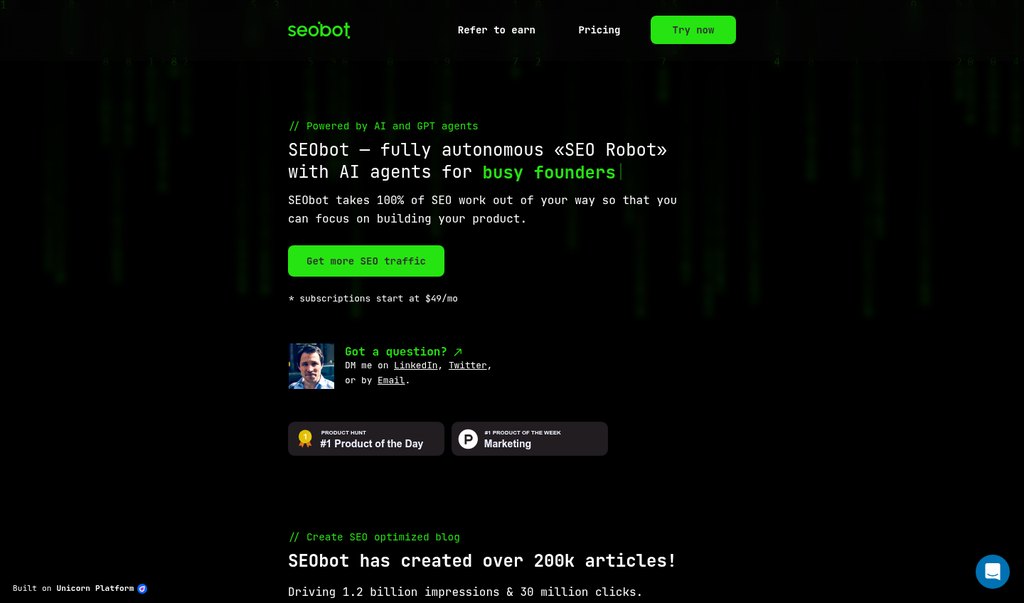
SEObot sits at the opposite end of the range from RightBlogger. It is designed to run without you: you give it a URL, and it researches the site, builds a content plan, and starts publishing weekly.
- Best for: founders who want a blog ticking over in the background and genuinely do not want to think about it.
- How it helps: onboarding is just your URL. It handles the keyword research, writes and publishes on a weekly cadence, and keeps internal links updated across old and new posts as the library grows, which is the maintenance job almost everyone skips. It cites sources and runs a fact-checking pass. WordPress, Webflow, Ghost, Shopify, and Wix are all supported, and you can switch on an approve or decline step if you want eyes on things before they go live.
- Watch-out: full autopilot is both the appeal and the risk, and the vendor is unusually candid about it: SEObot’s own FAQ says its article quality “varies compared to human writers.” Take that at face value and turn the approval step on. It also offers AI backlink building, which I would leave switched off, because automated link acquisition at scale is precisely what Google’s link spam policy exists to catch.
Practical takeaway: if your goal is sustainable SEO, pick the tool that makes it easiest to publish content you would be proud to put your name on. Automation should handle the busywork. You should still own the final voice, accuracy, and added value.
Frequently Asked Questions
Is autoblogging legal?
Automating your own publishing is legal. The legal risk is not the automation, it is what you import. Republishing someone else’s article in full, even from a public RSS feed, is a copyright problem regardless of how the post got onto your site; a feed being public is not a licence to reproduce it. Summarising, quoting briefly, and linking to the original is the safer pattern, and republishing in full needs actual permission. Keep that separate in your head from Google’s rules, which are policy rather than law: content can be perfectly legal and still get demoted for being unhelpful.
What is an auto blog?
An auto blog is the site itself, one where most or all posts are produced automatically rather than written individually. Autoblogging is the process; an auto blog is the result. The term usually carries a negative connotation because it is associated with sites built purely to catch search traffic, though the same machinery runs plenty of legitimate curated news briefs and listing sites. The difference is whether a human is making editorial decisions anywhere in the pipeline.
Can I automate my blog posts?
Yes. You can automate parts of the blogging workflow (idea generation, drafting, formatting, scheduling, and publishing to WordPress) with autoblogging tools and AI. The piece you shouldn’t fully automate is the part that makes your blog worth reading: your angle, your edits, and your fact-checks. A sustainable setup automates the busywork and keeps a human on the final review before anything goes live.
How do I put my blog on autopilot?
Set up a pipeline that covers three stages: input (topics, keywords, RSS, or video), generation (an AI writer that produces a draft), and publishing (to WordPress as a scheduled draft or auto-published post). Add rate limits, duplicate detection, and a review queue. “Autopilot” doesn’t mean zero involvement, it means you spend time editing instead of starting from scratch.
Can AI schedule blog content for me?
Yes. Most autoblogging tools let you queue drafts to a content calendar and drip-publish them on a schedule you set (for example, one post every Tuesday and Thursday at 9am). The AI handles generation and scheduling; WordPress handles the actual publish action via its built-in scheduled post feature.
Can I queue up blog posts for the next few months?
Yes, and you probably should. Generating and scheduling 30 to 90 days of posts in advance is one of the biggest wins of autoblogging. You batch the creative work in one session, load it into your content calendar, and free yourself from the “what should I post today” loop. The trade-off is that time-sensitive topics (news, product releases) don’t batch well, so keep a separate fast-lane for those.
Can AI publish directly to WordPress?
Yes. AI writing tools can publish to WordPress either through a plugin that the tool provides or via the WordPress REST API with an application password. Most autoblogging tools give you the option to publish as a draft, schedule it, or publish live. For anyone just starting, default to “publish as draft” until you trust the output.
Can I publish drafts automatically and review them later?
Yes, and this is the safest way to run autoblogging. Configure the tool to import or generate posts with a status of Draft or Pending Review. You then batch your editing once or twice a week: open the queue, fix anything off, add internal links and screenshots, and hit publish. You keep the speed of automation and the quality of human review.
Is autoblogging bad for SEO?
Autoblogging isn’t inherently bad for SEO, but lazy autoblogging is. Google’s spam policies specifically target “scaled content abuse,” which means pages published in bulk with no added value. If your automated posts bring something a reader would miss (your angle, updated info, original screenshots, a clearer explanation), they can rank. If they’re a thin rewrite of someone else’s feed, they won’t, and they may hurt the rest of your site’s rankings too.
Bottom line
Autoblogging is a real time-saver, but only if you treat it like a publishing system instead of a shortcut. Pick sources you actually have rights to use, add a layer of your own commentary or summaries, and keep a human review step until you’ve seen the output hold up. Watch Search Console, your analytics, and the plugin logs so a broken source or a drop in quality doesn’t sit there for weeks.
Start small, prove the quality on a handful of posts, then scale the parts that readers actually value. Autoblogging works best when it carries your expertise forward, not when it tries to stand in for it.